Most traders don't blow up their account on a single bad trade. They blow it up slowly, over months, by repeating the same three or four mistakes without ever noticing the pattern — because nothing was written down. Ask a trader who lost money last quarter why it happened, and you'll usually get a story about the market. Ask to see their trade log, and there often isn't one.
A trading journal template fixes that. It's not a productivity nice-to-have — it's the one piece of infrastructure that turns "I think I'm better at longs than shorts" into a number you can actually check. This guide covers what a trading journal template should contain, the different formats you can build one in, a free example you can copy today, and how to decide whether a spreadsheet is still the right tool once your trade count starts climbing.
None of this requires a background in data analysis. A template is just a checklist that happens to double as a dataset — you fill in the same handful of fields after every trade, and after a few dozen trades, the patterns start showing themselves without you having to go looking for them.
Table of Contents
- What Is a Trading Journal Template?
- Why Every Trader Needs a Template
- Essential Fields Every Template Should Include
- Types of Trading Journal Templates
- Free Excel Template vs. Modern Trading Journal Software
- How to Create Your Own Trading Journal Template
- Common Mistakes When Using Templates
- Sample Trading Journal Template
- Why Digital Templates Are Better
- How Trade Journal Desk Replaces Traditional Templates
- Frequently Asked Questions
What Is a Trading Journal Template?
A trading journal template is a pre-built structure — a spreadsheet layout, a set of form fields, or a printed page — for recording every trade you take in a consistent format. Instead of writing down whatever you remember after the fact, a template forces you to capture the same fields every single time: entry, exit, size, reasoning, and outcome.
The "template" part matters more than it sounds. A single trade written down once is just a note. Fifty trades written down in the same structure is a dataset — one you can sort, filter, and pull real conclusions from. That's the actual purpose of a template: not record-keeping for its own sake, but building a dataset you can analyze later.
Who should use one? Every trader who plans to still be trading in a year. It doesn't matter whether you trade crypto, forex, indices, or options, or whether you place two trades a week or twenty a day — if you can't answer "what's my win rate on breakout trades versus reversal trades" without guessing, you don't have a working journal yet, template or not.
A template only earns its keep if you fill it in the same day you take the trade. A journal updated once a week from memory is really just a diary — the details that actually matter (why you sized it that way, what you were feeling at entry) are gone within 48 hours.
Why Every Trader Needs a Template
It's tempting to think journaling is optional until you're "a serious trader." In practice it's the reverse — the traders who never start one tend to stay stuck at the same skill level for years, because nothing forces the same six problems into view. Here's specifically what a template gives you that trading from memory can't.
Consistency
Without a fixed structure, every log entry looks different — sometimes you note the setup, sometimes you don't; sometimes you write down your stop loss, sometimes you round it off from memory later. A template removes that variance. Every trade gets the same fields, which is the only way the data stays comparable across weeks and months.
Organization
A hundred trades scattered across screenshots, broker statements, and half-finished notes app entries isn't a record — it's a mess you'll never actually review. A template keeps everything in one place, in one format, so "show me every NIFTY trade I took in June" is a five-second filter instead of an afternoon of digging.
Performance Tracking
Win rate alone tells you almost nothing. What actually matters is win rate by strategy, expectancy by symbol, and average R:R by session. None of that is possible without structured fields to group and filter by — which is exactly what a template provides and a notebook doesn't.
Risk Management
If your template has a Risk field next to every trade, you can see your total open exposure at a glance and catch position sizing that's crept up without you noticing. Traders who skip this field are usually the ones who can tell you their win rate but not how much they actually had at risk on their worst day.
Psychology
The trades that hurt the most are rarely the ones with a bad setup — they're the ones taken out of boredom, FOMO, or revenge after a loss. A template with an emotion or mistake field turns a vague feeling ("I think I overtrade when I'm down") into a specific, checkable number: how many of your losing trades in the last month were tagged "revenge entry," and what did they cost you.
Strategy Improvement
You can't improve a strategy you haven't isolated. Tagging every trade with the setup used is what lets you eventually say "my EMA pullback trades have a 61% win rate and my breakout trades have a 34% win rate" — and then actually act on that, instead of trading everything with equal conviction.
- A template's real job is making 50+ trades comparable, not just recorded.
- Consistency in the fields you track matters more than how fancy the template looks.
- Risk and psychology fields are the two most commonly skipped — and the two that catch the most expensive mistakes.
Essential Fields Every Trading Journal Template Should Include
Not every field belongs in every trader's journal, but this list covers what a genuinely complete trading journal template should have room for. Skip a field here and there's a decent chance it's exactly the one that would have explained your worst month.
| Field | Why It Matters |
|---|---|
| Trade Date | The baseline for every time-based report — daily, weekly, and monthly performance all key off this. |
| Entry Time | Lets you check performance by session (London open, NY open, etc.) — a lot of edges are time-of-day specific. |
| Exit Time | Combined with entry time, tells you your actual average holding period — often a surprise to scalpers who think they're in and out in seconds. |
| Market | Crypto, forex, indices, stocks — needed the moment you trade more than one market, so performance doesn't get blended into a meaningless average. |
| Symbol | The exact instrument traded. Reveals which specific tickers are quietly carrying — or dragging — your account. |
| Long / Short | Directional bias tracking. Many traders are meaningfully better in one direction and don't know it until this field exists. |
| Strategy | The single most important field for improvement — everything about "which setups actually work" flows from this tag. |
| Entry Price | Needed for every downstream calculation: P&L, R:R, and position sizing all start here. |
| Exit Price | Same as above — without it, a trade is still "open" in your data even after it's closed in reality. |
| Quantity | Position size. Without it, a ₹500 win and a ₹500 loss look identical even if one used ten times the size. |
| Stop Loss | What you planned to lose if wrong — the number that lets you measure discipline, not just outcome. |
| Take Profit | What you planned to make if right — compare this to where you actually exited to catch a habit of cutting winners short. |
| Risk | The rupee or dollar amount actually at stake on the trade — the field most position-sizing mistakes hide in. |
| Reward | What you stood to gain if the trade played out as planned. |
| Risk-Reward Ratio | Risk and reward expressed as a single ratio (e.g. 1:2.4) — the fastest way to spot trades that were never worth taking on math alone. |
| Gross PnL | Profit or loss before costs — useful for seeing your raw edge before fees eat into it. |
| Net PnL | What actually hit your account after costs. The number that matters for your equity curve. |
| Trading Fees | Commission, slippage, funding fees — small on one trade, often surprisingly large across a hundred. |
| Screenshots | A picture of the chart at entry (and ideally exit) — the only way to honestly re-examine whether the setup was actually what you remember it being. |
| Trading Emotion | How you felt going into the trade — confident, fearful, FOMO, bored. Cross-referenced against PnL, this is where psychology stops being abstract. |
| Mistakes | What you did wrong, if anything — no stop loss, moved the stop, sized too big, entered too early. |
| Lessons Learned | The one-line takeaway. Optional per trade, but the field that turns a loss into something you don't have to repeat. |
| Notes | Free text for anything the structured fields don't capture — news catalysts, unusual volume, anything context-specific. |
| Tags | Custom labels beyond strategy — "earnings play," "high volatility," "counter-trend" — for cutting the data in ways you didn't originally plan for. |
Don't add all 23 fields to a paper journal and expect to keep it up. The more friction there is to log a trade, the faster you'll stop logging honestly — especially the losses. A template should be complete enough to be useful and short enough that you'll actually finish it every time.
Types of Trading Journal Templates
There's no single "correct" format — the right one depends on how many trades you take and how much you actually want to dig into the numbers afterward.
Paper Journal
A physical notebook you write trades into by hand. Zero setup cost, and the act of handwriting can genuinely help some traders slow down and think before entering. But there's no search, no calculations, no charts, and reviewing three months of trades means flipping through pages one at a time. Best for a trader who takes only a handful of trades a week and mainly wants a discipline ritual, not a dataset.
Notebook App
Notes apps or basic note-taking tools — a small step up from paper, since entries are searchable by text. Still no automatic calculations, no analytics, and no structured fields unless you rebuild them by hand in every entry. Best for jotting quick in-the-moment thoughts alongside a more structured template kept elsewhere, not as the primary journal.
Excel Template
A spreadsheet with columns for every field above and formulas for P&L and R:R. This is where most traders who take journaling seriously start — genuinely useful, fully customizable, and free if you already have Excel or Google Sheets. Best for traders comfortable maintaining formulas who want full control over the layout and don't yet need built-in analytics.
Google Sheets
Functionally similar to Excel, with the advantage of being accessible from any device and easy to share with a mentor or trading group for review. The tradeoff is the same as Excel: no built-in analytics, and formulas break the moment a formula cell gets overwritten by mistake. Best for traders who journal from multiple devices or want a second set of eyes reviewing their trades regularly.
PDF Template
A printable, fixed-layout template — good for traders who prefer a physical copy but want a more structured layout than a blank notebook page. Same core limitation as paper: no calculations, no search, no analytics. Best as a pre-trade checklist printed and kept at the desk, rather than as the full trade log itself.
Digital Trading Journal Software
A purpose-built app where every field above already exists, calculations happen automatically, and analytics update the moment you save a trade. The setup cost is lower than building a spreadsheet from scratch, and it scales cleanly from your first trade to your five-thousandth. Best for any trader taking more than a few trades a week who wants to spend review time reading insights instead of building the spreadsheet that produces them.
| Format | Pros | Cons |
|---|---|---|
| Paper Journal | No setup, encourages slowing down | No search, no calculations, easy to abandon |
| Notebook App | Searchable text, always on your phone | No structured fields, no analytics |
| Excel Template | Free, fully customizable, familiar | Manual setup, formulas break easily, no charts by default |
| Google Sheets | Cloud access, easy to share for review | Same analytics gap as Excel |
| PDF Template | Clean fixed layout, printable | Static — no calculations, no filtering |
| Journal Software | Automatic calculations, analytics, screenshots, calendar — built in | Usually a paid product past a free tier |
Free Excel Template vs. Modern Trading Journal Software
An Excel template is the natural next step once a notebook stops being enough — and for traders taking a handful of trades a week, it can genuinely be enough on its own. Where it starts to strain is exactly the areas below.
| Capability | Excel Template | Trading Journal Software |
|---|---|---|
| Ease of Use | Manual entry, manual formulas | Structured form, guided fields |
| Automation | Formulas you build and maintain yourself | P&L, R:R calculated automatically |
| Analytics | Pivot tables, if you build them | Win rate, expectancy, drawdown — built in |
| Charts | Manual chart creation per metric | Equity curve and breakdowns generated automatically |
| Calendar | Not built in | Daily P&L calendar view |
| Trade Replay | Not possible | Full trade history with context, searchable |
| Screenshot Storage | Separate folder, manually linked | Attached directly to the trade entry |
| Psychology Tracking | An extra column, if you remember to add one | Structured emotion/mistake tags with reporting |
| Reports | Manual, one-off | Daily, weekly, monthly, generated automatically |
| Mobile Access | Awkward on a small screen | Built for logging a trade from your phone |
| Cloud Backup | Only if you remember to save to cloud storage | Saved automatically as you go |
None of this makes Excel a bad choice — plenty of profitable traders journal in a spreadsheet for years. The honest tradeoff is time: every hour spent maintaining formulas and building charts is an hour not spent reviewing what the data is actually telling you.
How to Create Your Own Trading Journal Template
Pick your format
Choose based on how many trades you take per week, not on what looks impressive. Two trades a week can live comfortably in a notebook. Ten trades a day genuinely needs software.
List your required fields
Start from the 23-field table above and cut anything you know you won't fill in honestly. A template with 12 fields you actually complete beats one with 23 you abandon after a week.
Build the calculated fields
Set up formulas (or confirm your software calculates automatically) for Net PnL, R:R, and Risk. These should never be typed in by hand — that's exactly where transcription errors creep in and quietly skew your stats.
Add a screenshot process
Decide where chart screenshots live and how they connect back to each trade — a naming convention if you're using a spreadsheet, or an upload field if you're using software.
Log every trade the same day
Set a hard rule: no trade goes unlogged past the day it closes. Details fade fast, and the emotion field especially becomes worthless if you're reconstructing it from memory a week later.
Review on a schedule
A template you never look back at is just data entry. Set a weekly slot to actually read your last 10–20 trades and look for the pattern you'd rather not admit is there.
Common Mistakes When Using Templates
- Missing important data. Skipping the stop loss or risk field because "you remember it" — until three months later, you don't.
- Never actually reviewing the trades. A journal that's only ever written to and never read back is a diary, not a tool.
- Updating days later. Logging from memory instead of the same day loses exactly the details — emotion, reasoning — that make a journal worth keeping.
- Only logging the winners. Selective logging quietly inflates your apparent win rate until the numbers stop meaning anything.
- Ignoring emotions entirely. Treating the journal as a pure numbers log skips the exact data that explains most of the numbers.
- Skipping screenshots. Without a picture of the actual setup, you're trusting your memory of a chart that no longer exists in that form.
The traders who stick with journaling long enough for it to pay off tend to follow the same few habits: log every trade the same day, never skip a losing trade, keep the field list short enough to actually finish, review on a fixed weekly schedule rather than "whenever," and treat the first 20–30 trades in any new strategy as a hypothesis, not a verdict.
Sample Trading Journal Template
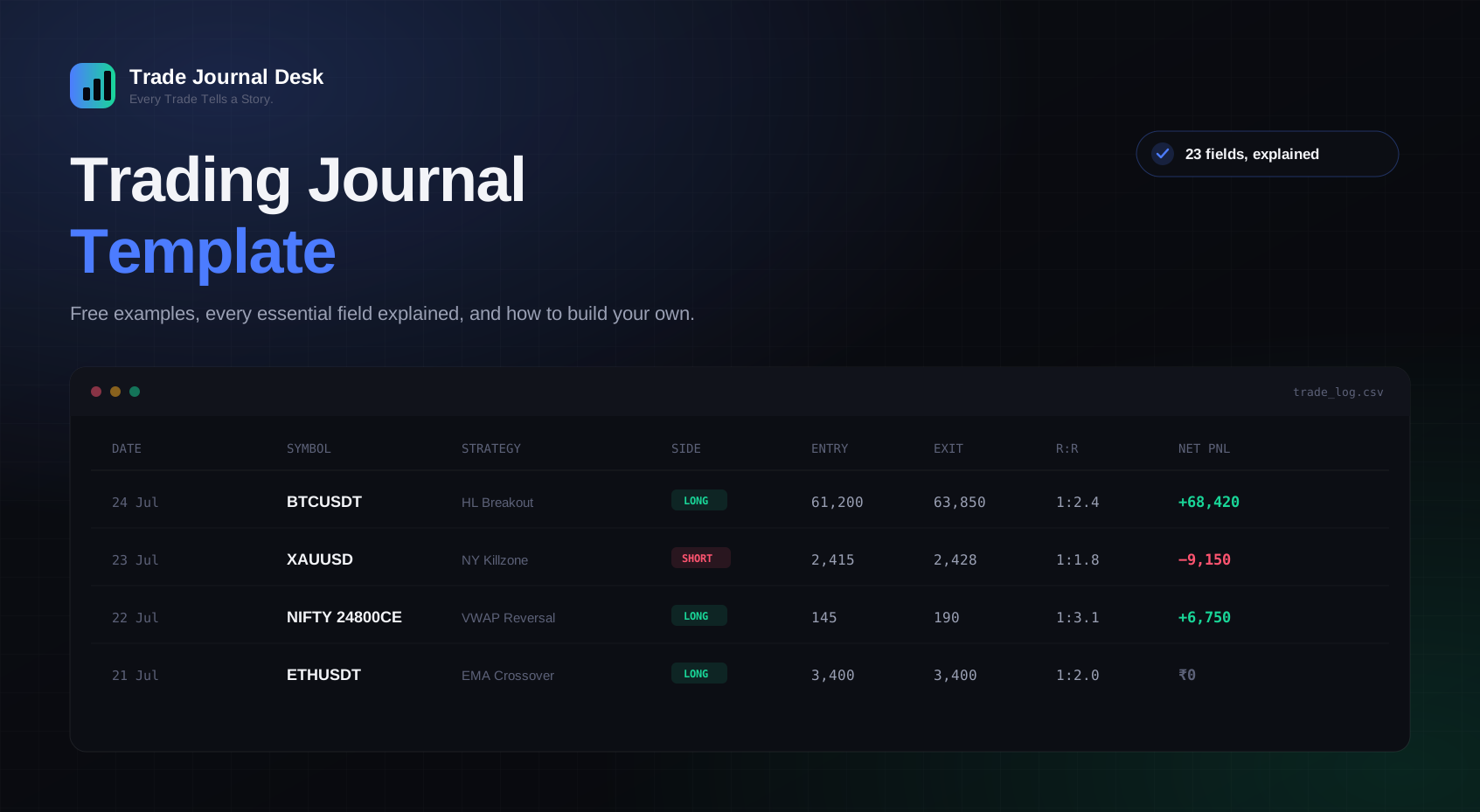
Here's a filled-in example using the core fields from the table above, so you can see how it looks with real numbers rather than blank columns.
| Date | Symbol | Strategy | Side | Entry | Exit | Qty | R:R | Net PnL | Emotion |
|---|---|---|---|---|---|---|---|---|---|
| 24 Jul | BTCUSDT | HL Breakout | Long | 61,200 | 63,850 | 0.5 | 1:2.4 | +₹68,420 | Confident |
| 23 Jul | XAUUSD | NY Killzone | Short | 2,415 | 2,428 | 2 | 1:1.8 | −₹9,150 | Rushed entry |
| 22 Jul | NIFTY 24800CE | VWAP Reversal | Long | 145 | 190 | 75 | 1:3.1 | +₹6,750 | Patient |
| 21 Jul | ETHUSDT | EMA Crossover | Long | 3,400 | 3,400 | 1 | 1:2.0 | ₹0 | Neutral |
| 20 Jul | AAPL | Trend Pullback | Short | 224.50 | 231.20 | 10 | 1:0.8 | −$67 | FOMO entry |
Notice what the Emotion column already tells you before you even run the numbers: the two rushed or FOMO-driven entries lost money, the patient and confident entries didn't. That single column, filled in consistently across a hundred trades instead of five, is usually where a trader's biggest recurring leak gets found.
Why Digital Templates Are Better
None of this is to say a spreadsheet is wrong — it's a legitimate tool. But once your trade count climbs past a few dozen a month, the case for a digital tool over a manual template gets hard to ignore:
- Faster to log. A structured form takes under a minute; a spreadsheet row with manual formulas takes longer and is easier to get wrong.
- Automatic calculations. Net P&L and R:R are computed for you — never typed in, never silently wrong from a broken formula reference.
- Real performance analytics. Win rate, expectancy, and drawdown update the moment you save a trade, not once you find time to build a pivot table.
- Better search. Filter to "every short trade on NIFTY tagged FOMO" in seconds instead of scrolling a spreadsheet.
- Better organization. Screenshots, notes, and numbers live on the same trade record instead of scattered across folders.
- Easier reporting. Daily, weekly, and monthly summaries exist automatically instead of being built by hand each time you want one.
How Trade Journal Desk Replaces Traditional Templates
Trade Journal Desk was built to be exactly the template described in this guide — every field from the table above, already built, already calculating, with nothing to set up first.
- Unlimited trade entries, with entry, exit, size, stop, and target calculated into Net P&L and R:R automatically.
- A dashboard and analytics suite covering win rate, expectancy, drawdown, and strategy-by-strategy performance — no pivot tables required.
- Strategy tracking, so you can see exactly which setups are actually earning their place in your playbook.
- Psychology tracking — tag the emotion and mistake behind every trade and see the pattern in your analytics, not just in your gut.
- A calendar view that colors every trading day by outcome, so a bad week is visible at a glance.
- Screenshot attachments on every trade, so the setup you actually took is still there to review months later.
- Risk management fields and limits, so your open exposure is never a guess.
- Daily, weekly, and monthly performance reports, generated for you.
- A dark, distraction-free interface built for daily use, on desktop or mobile.
It works the same way across crypto, forex, commodities, Indian stocks, US stocks, and futures & options — one journal, every market, instead of a template rebuilt from scratch for each one. Every trade you take is still a data point in a story only you can read — Trade Journal Desk just makes sure that story is Every Trade Tells a Story.
Frequently Asked Questions
What is a trading journal template?
A pre-built structure — spreadsheet, form, or printed page — for recording every trade in the same format every time, so your trade history becomes a comparable dataset instead of scattered notes.
Is a trading journal template free?
Yes — a basic Excel or Google Sheets template costs nothing beyond your time to build it. Digital trading journal software like Trade Journal Desk also offers a free tier to get started, with 10 free trades and no card required.
What's the difference between a trading journal template and trading journal software?
A template is a static structure you fill in and calculate by hand. Software provides the same structure with automatic calculations, analytics, and reporting built on top.
What fields should a trading journal template include?
At minimum: date, symbol, strategy, side, entry, exit, quantity, stop loss, target, risk-reward ratio, and net P&L. A complete template also tracks emotion, mistakes, and screenshots.
Can I use Excel for a trading journal template?
Yes. Excel and Google Sheets are common starting points — fully customizable and free, though you'll build and maintain your own formulas and charts as your field list grows.
How do I create a trading journal template in Excel?
Start with columns for the fields above, add formulas for Net P&L (exit minus entry, times quantity, minus fees) and R:R (reward divided by risk), then build a simple pivot table or chart for win rate and average R:R.
What's the best trading journal template for beginners?
The simplest one you'll actually fill in every time — a spreadsheet with 10–12 core fields beats a 23-field template abandoned after a week. See our full guide: Best Trading Journal for Beginners.
How often should I update my trading journal?
The same day you close the trade, ideally within a few hours. Details like your emotional state at entry fade fast and are close to impossible to reconstruct accurately a week later — treat same-day logging as a non-negotiable part of the trade, not an optional follow-up task.
Should a trading journal track my emotions?
Yes. Emotion is one of the highest-value fields in the whole template — cross-referenced against P&L, it's usually where a trader's most expensive recurring mistake becomes visible.
Do I need to track screenshots in my trading journal?
It's strongly recommended. A screenshot is the only honest record of what the chart actually looked like at entry — memory alone tends to "clean up" the setup in hindsight.
What is risk-reward ratio and why does it belong in a template?
Risk-reward ratio compares what you stood to lose against what you stood to gain on a trade (e.g. 1:2 means risking ₹1 to make ₹2). Tracking it reveals trades that were mathematically not worth taking, independent of whether they happened to win.
Can a trading journal template help with risk management?
Yes — a Risk field on every trade lets you see your total open exposure at any moment and catch position sizing that's quietly grown past your comfort level.
What's the difference between gross PnL and net PnL?
Gross P&L is your profit or loss before costs. Net P&L is what actually hits your account after commissions, fees, and slippage — the number that matters for your real equity curve.
Can I use a trading journal template for crypto trades?
Yes — the same fields apply to crypto as any other market. Trade Journal Desk supports crypto, forex, commodities, Indian stocks, US stocks, and futures & options in one account.
Can I use a trading journal template for options and futures?
Yes, with the same core fields — symbol, entry, exit, size, and R:R apply the same way to options and futures contracts as to spot trades.
How is a trading journal different from a trading plan?
A trading plan is written before you trade — your rules, strategies, and risk limits. A trading journal is written after each trade — what you actually did against that plan, and the result. Used together, the journal is what tells you whether you're actually following the plan or just have one written down somewhere.
What's a good trade review template?
A short weekly format: your best trade, your worst trade, the mistake that repeated most often, and one specific change for next week. Simple enough to actually complete every week.
How many trades do I need before a journal template becomes useful?
Patterns start becoming statistically meaningful around 20–30 trades in a given strategy. Before that, treat early conclusions as a hypothesis, not a fact.
Is Trade Journal Desk free to use?
Yes — every account starts with 10 free trades, full analytics, and no card required. Paid plans start at ₹49 for unlimited trades once you've used those up.
Does Trade Journal Desk replace my Excel trading journal template?
Yes — every field in a typical Excel template already exists in Trade Journal Desk, calculated automatically, with analytics, a calendar, screenshots, and psychology tracking layered on top.
Can I switch from a spreadsheet to Trade Journal Desk without losing my history?
You can start logging new trades immediately in Trade Journal Desk while keeping your existing spreadsheet as a historical archive — there's no need to choose one or the other overnight.
What's the biggest reason traders stop using their trading journal template?
Friction. A template that takes five minutes to fill in gets abandoned within a month — the fields you actually keep long-term are the ones that take under a minute per trade.
Can a trading journal template improve my win rate?
Not directly — a journal doesn't place better trades for you. What it does is show you, in numbers, which of your existing strategies and habits are actually working, so you can do more of what's working and stop doing what isn't.
Final Thoughts
A trading journal template — any format, even a plain notebook — beats not journaling at all. But the goal was never the template itself; it's the pattern that only shows up once you've logged enough trades in a consistent format to actually see it. Spreadsheets get you there slowly, with manual formulas and no analytics until you build them yourself. Purpose-built software gets you there the moment you save your first trade.
Every trade you take is already telling you something. A good template just makes sure you're actually listening. Every Trade Tells a Story.
Keep Exploring
Ready to understand your trading like never before?
Start using Trade Journal Desk and discover why Every Trade Tells a Story.